


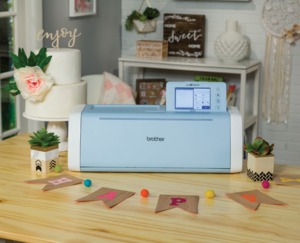

INCLUDED: Brother Warranty: 1 Year Limited Parts, 2 Year Limited Electronic
* ScanNCut DX Innov-is Edition is packed with so many new features for virtually endless possibilities in cutting thicker materials with the new Auto-Blade. Check out Julie Fei-Fan Balzer in this quick video* below for the dealer exclusive SDX225 model. Be sure to watch the other feature videos on Brother Crafts USA Youtube channeL
Please Note: All existing CM Model ScanNCut accessories except the old blade, old blade holder, old mats and old carry bag will work with the new SDX models.
The new Roll Feeder will only work on the new SDX models. The ScanNCut DX Innov-is Edition CUTS UP TO 0.1” THICKNESS: The Brother Home Electronic Cutting Machine effortlessly cuts materials such as foam and felt with the Auto Blade. Material compatibility may vary. Always perform a trial/test cut to confirm a successful cut. ON-SCREEN EDITING: Editing designs is fast and easy.
This ScanNCut machine comes with a 5” LCD touchscreen display. FULLY DETAILED DESIGNS: With over 1300 built-in designs, 140 quilt patterns, and 17 letter fonts, this Brother Cutting Machine produces detailed work.
WIRELESS NETWORK READY:
Wirelessly connect your PC or mobile device to transfer cut data from the Brother CanvasWorkspace application. PERFECT FOR QUILTERS AND SEWERS: The Brother SDX225 Electronic Cutting Machine provides a ¼” increment seam allowance to piece together fabric. Cutting Through Virtually Everything You Can Imagine + BLADE SENSOR TECHNOLOGYNo Blade Settings & Material Selection Required
+ PES/PHC/PHX FILE READABILITY* + WHISPER QUIET MECHANISM + OVER 1,300 BUILT-IN DESIGNS vs 682 on SDX125 Including 140 Quilt Patterns & 17 Lettering Fonts + WIRELESS NETWORK READY + 600 DPI Built-In Scanner + Cuts 3mm or .12 inches NEW SCANNCUT DX INNOV-ÍS EDITION HOME AND HOBBY CUTTING MACHINE Revolutionary blade sensor technology which detects the thickness of the material.New auto blades
cut a wide-variety of materials* like foam and felt virtually effortlessly Redesigned, quieter mechanism for DIY anytime day or night New PES/PHC/PHX data readability with stitch data conversion to utilize existing PES/PHC/PHX files *Material compatibility may vary. Always perform a trial/test cut to confirm a successful cut. *Automatic Blade Sensor! Video Playlist The ScanNCut SDX225 is a revolutionary electronic cutting machine with a built-in scanner and Blade Sensor Technology with Auto Blade. With Auto Blade technology it detects the thickness of the material so there is no need to select the material type nor adjust blade depth before cutting. The machine is also full of other new features; cuts up to 3 mm thick, built-in accessory storage, quieter cutting mechanisms for crafting day and night, and much more. Educational Video Playlist for new Brother SdX225f ScanNCut Innovis Edition.- US Warranty 1 year limited warranty on defects in materials and workmanship.
- Extended US Warranty: Extended Warranty Available
- Non-US Warranty: 30 days parts and labor
Specifications
Operation Instruction Manual PDF for Brother ScanNCut SDX225f Cutting Machine “We are excited to introduce the ScanNCut DX which has the great features of ScanNCut2 plus, new features that will make crafting fun and simple, for novice and expert crafters. The machine has virtually everything crafters and sewers need and that all they'll need is something they already have tons of. Imagination!”, shared Jim Price, Senior Director of Sales for Brother.
“ScanNCut DX features new technologies
that will make crafting fun and easy and offering more possibility than ever before. Brother’s Blade Sensor Technology with Auto Blade is truly revolutionary. The Auto Blade detects the thickness of the material, there’s no need to select material type nor adjust blade depth before cutting. There’s no guessing game. The machine is full of other new features: cuts up to 3 mm thick, built-in accessory storage, quieter cutting mechanisms for crafting day and night and much more!” The ScanNCut DX (SDX225) arrives in tandem with the machine’s debut at Back to Business 2018, featuring the latest products and innovations in sewing, quilting, embroidery and crafting. To compliment the machine arrival Brother is also introducing an exclusive line of ScanNCut DX accessories. Much like the original ScanNCut and ScanNCut2 machines, The ScanNCut DX allows crafters to turn their scanned images into unique, one-of-a-kind cut designs. From professional looking greeting cards, signs, decorations, stylish appliqués, and much, much more - the ScanNCut is designed with versatility in mind. But now, with several new technological advancements and innovations, the ScanNCut DX makes crafting even easier.ScanNCut DX New features include:
Blade Sensor Technology with Auto Blade: This revolutionary cutting machine detects the height (thickness) of the material placed on the ScanNCut DX compatible mat. No need to select the material type or adjust the blade depth before cutting. Auto Blade: cuts up to 0.1” (3 mm) in thickness. Cuts a wide-variety of materials like balsa wood, foam and felt virtually effortlessly with Auto Blade. Whisper Quiet Mechanism: The Brother ScanNCut DX cuts and scans with little noise compared to previous models. Enjoy your DIY projects, card making, or quilting anytime day or night with the redesigned, quieter cutting mechanism. Precise and Quick Cuts: Help save time when creating and crafting as the ScanNCut DX cuts faster than previous ScanNCut models. 1303 Built-in Designs, including 140 Quilt patterns, Plus 17 Lettering Fonts: Get creative! Basic shapes, intricate designs, borders, quilt patterns, fonts, and more are all available on the easy-to-use 5-inch color LCD touchscreen display.Thin Fabric Auto Blade:
This blade is designed to cut fabric used for quilting and raw edge appliqué purposes. Quilt with ease and help save time by cutting multiple pieces for your projects. Depending on the material, the Thin Fabric Auto Blade will cut thicknesses from 0.25 mm-0.5 mm. PES/PHC/PHX Data Readability with stitch data conversion: The ScanNCut DX Innov-is Edition reads most PES/PHC/PHX embroidery files, users will have So many more ways to utilize ScanNCut’s existing PES, PHC, and PHX appliqué files! Brother Expands Lineup of Cutting Machines with New, Revolutionary ScanNCut DX globenewswire Brother Scan N Cut You Tube Channel ScanNCutCanvas: Enhanced Image Tracing : Activation Function This home & hobby cutting machine comes with a built-in scanner. No more design cartridges or dies needed. Comparison Chart between Brother DX models in Dealer Stores and SDX125 from Mass Merchants. which adds up to be $850.27 more separate accessory values with the SDX225. ScanNCut Accessories: Everything except the old blade, old blade holder, old mats and old carry bag will work with the new SDX225 and SDX125 models.. ScanNCut DX Innov-ís Edition SDX225f . Please click HERE for the following URL to go to the download page for this new version 1.11- Note SDXF HAS UPDATE installed
- Improved sizing key in the pattern editing screen.
- Added keys to move the page on the settings screen
- Added Background menu in the setting screen when scanning a background image.Click Here for Update 1.13 The following functions have been added or improved in this software:The improvement in this version is• Added keys to move the page on the scroll screen An Update, Version 1.10, has been released for the SDX225. Note that the PHX files from the Luminaire are now readable in the ScanNCut DX once the update is installed. The following functions have been added or improved in this software.• Embroidery data (PHX) can be imported.• Added arrow keys to move a pattern on zoom in edit screen.• Revised messages.Canvas Workspace for MAC Computers The roll feeder is an option on Canvasworkspace Mac desktop version. https://youtu.be/IXfiYb-MDDI. You can send this to your end user for her to view. It walks her through downloading the software for her Mac and installing it. She will then select the roll feeder as her Mat size and then transfer the fcm via the Internet to send it wirelessly to her SNC DX Machine. The roll feeder will need to be registered to your account under account settings before you can use it. You need to go to the help menu, choose Account Settings and then choose Premium Function Activation. You will then type in Roll Feeder Activation code and then press Activate. At that point, the roll feeder mat will be available. From the Artboard dropdown menu. You will see the Artboard tab at the bottom right of the screen. It looks like a sheet of paper. The dropdown menu will say Rolled Material.
- Includes
- Pen Holder
- 6 Color Pen Set
- 2 Erasable Pen Set
- Black
- ScanNCut DX Standard Tack Adhesive Mat
- 2 Iron-on Fabric Contact Sheet
- Auto Blade
- Auto Blade Holder
- Thin Fabric Auto Blade
- Thin Fabric Auto Blade Holder
- 2 erasable Touch Pen
- Spatula
- Accessory Bag
- 1 sheet cardstock 12x 12
- Fabric mat 12x12
So What’s the Difference Between the ScanNCut SDX125 vs the ScanNCut SDX225?
IMPORTANT:
Before purchasing any of these machines, double-check with your dealer that what we have said below is correct to make sure you are getting all the features you are after.
24″ Scan Function
This is the ability to scan the full length of a 24″ mat.- SDX125 – not available
- SDX225 – available
PES File Import Capability
- SDX125 – not available
- SDX225 – available
PES File Embroidery Stitch Line Detection
- SDX125 – not available
- SDX225 – available
Wireless Ready
- SDX125 – yes
- SDX225 – yes
Data Transfer Via USB Cable
- SDX125 – yes
- SDX225 – yes
Maximum Object Readability
The higher the resolution, the better, more legible your document is. . SDX125 – 600- SDX225 – 600
Built-in Designs
First up we have the built in designs. The built-in designs are cutting files that are pre-installed in the machine itself. Now personally this wouldn’t be a game changer for me since I tend to create my own cutting files, but for those that don’t, then it may make a difference.- SDX125: 682 built-in-designs
- SDX225: 1303 built-in-designs
Built-in Fonts
With the new Canvas Workspace software, you can use fonts on your machine, so unless you don’t like using Canvas Workspace to create your own cutting files, then the extra fonts may appeal to you. For me again, it’s not a game-changer.- SDX125: 9 fonts
- SDX225: 17 fonts
Accessories Included with Each Machine
SDX125
- Pen Holder
- Black Color Pen
- ScanNCut DX Standard Tack Adhesive Mat
- Auto Blade
- Auto Blade Holder
- Touch Pen
- Spatula
- Accessory Pouch
SDX225
- Pen Holder
- 5 Color Pen Set
- 2 Erasable Pen Set
- Black
- ScanNCut DX Standard Tack Adhesive Mat
- ScanNCut DX Low Tack Adhesive Mat
- High Tack Fabric Support Sheet
- Iron-on Fabric Contact Sheet
- Auto Blade
- Auto Blade Holder
- Thin Fabric Auto Blade
- Thin Fabric Auto Blade Holder
- Touch Pen
- Spatula
- Accessory Pouch
Other Images
An Update, Version 1.10, has been released for the SDX225. Note that the PHX files from the Luminaire are now readable in the ScanNCut DX once the update is installed. The following functions have been added or improved in this software. • Embroidery data (PHX) can be imported. • Added arrow keys to move a pattern on zoom in edit screen. • Revised messages.
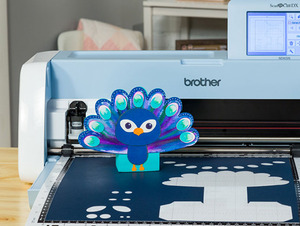 ScanNCut Blade Sensor Technology Revolutionary, cutting machine detects the height (thickness) of the material. No need to select material type nor adjust blade depth before cutting.
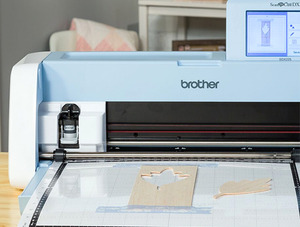 Cut Thicker Materials Brother ScanNCut introduces the home and hobby electronic cutting machine blade that cuts up to 0.1” (3 mm) in thickness. Cut a wide-variety of materials* like foam and felt virtually effortlessly with Auto Blade.
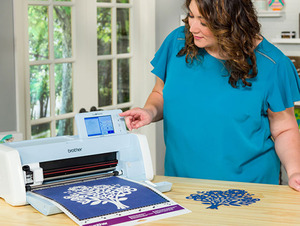 Whisper Quiet Cuts and scans with little noise compared to previous ScanNCut models. The redesigned, quieter mechanism is perfect for use in small office or business setting where noise can be very distracting!
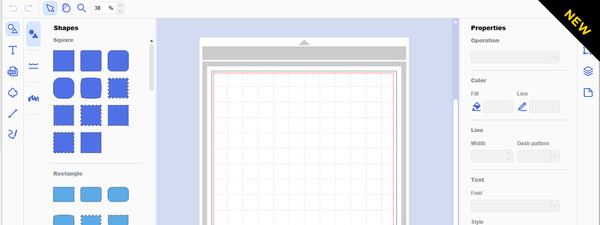
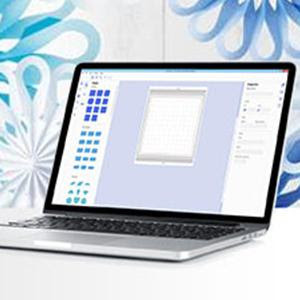
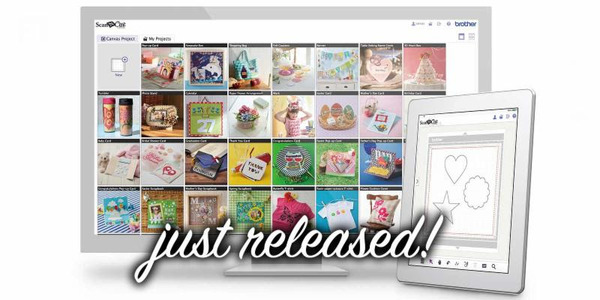 We have released a new version of ScanNCut CutCanvas. Tablet and smartphone friendly, please refer to the help document on ScanNCut Canvas for a list of compatible devices. On-the-go editing! Transfer files via the ScanNCut Online feature available with ScanNCut2 (activation card required).
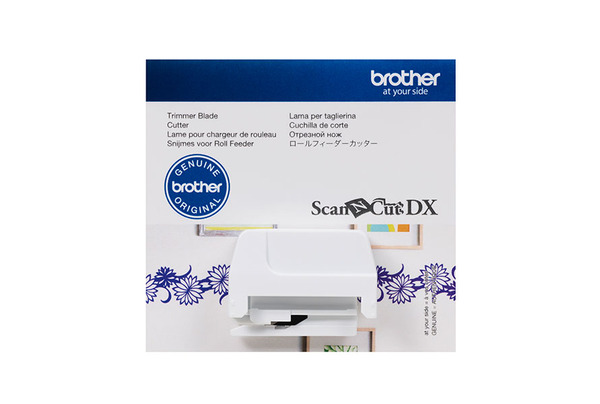 Optional ScanNCut Roll Feed Cutter. Trimmer Blade Cutter
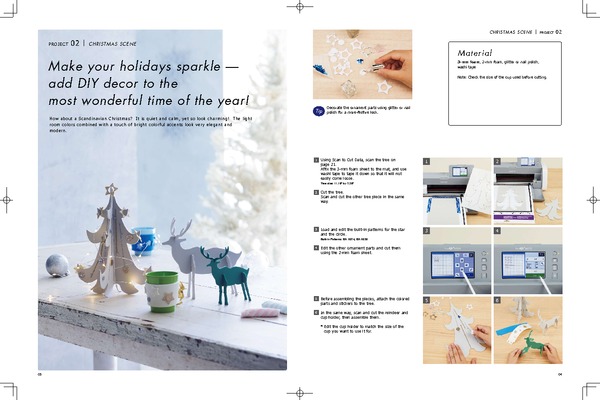 Christmas Scene project that was created on the ScanNCut DX. Here is the instructions and the patterns for Scanning and Cutting.
 Celebrate National Craft Month with ScanNCut Get into the spirit of National Craft Month with five new, spring inspired projects free on CanvasWorkspace. Discover how to make an Easter bonnet, cake topper, add personalized stickers to your laptop and more with simple, easy-to-follow instructions.
Brother ScanNCut Machine Earns Women’s Choice Award® Seal in Crafts Category
Brother Sewing Machines Awarded Seal for 3rd Year in a Row as Most Recommended Sewing and Embroidery Machines by Female Customers
“It is truly an honor for the Brother ScanNCut and Brother Sewing Machines to receive the Women’s Choice Award seal, especially for three years running,” said Doretta Caprarola, Director of Marketing, Home App


